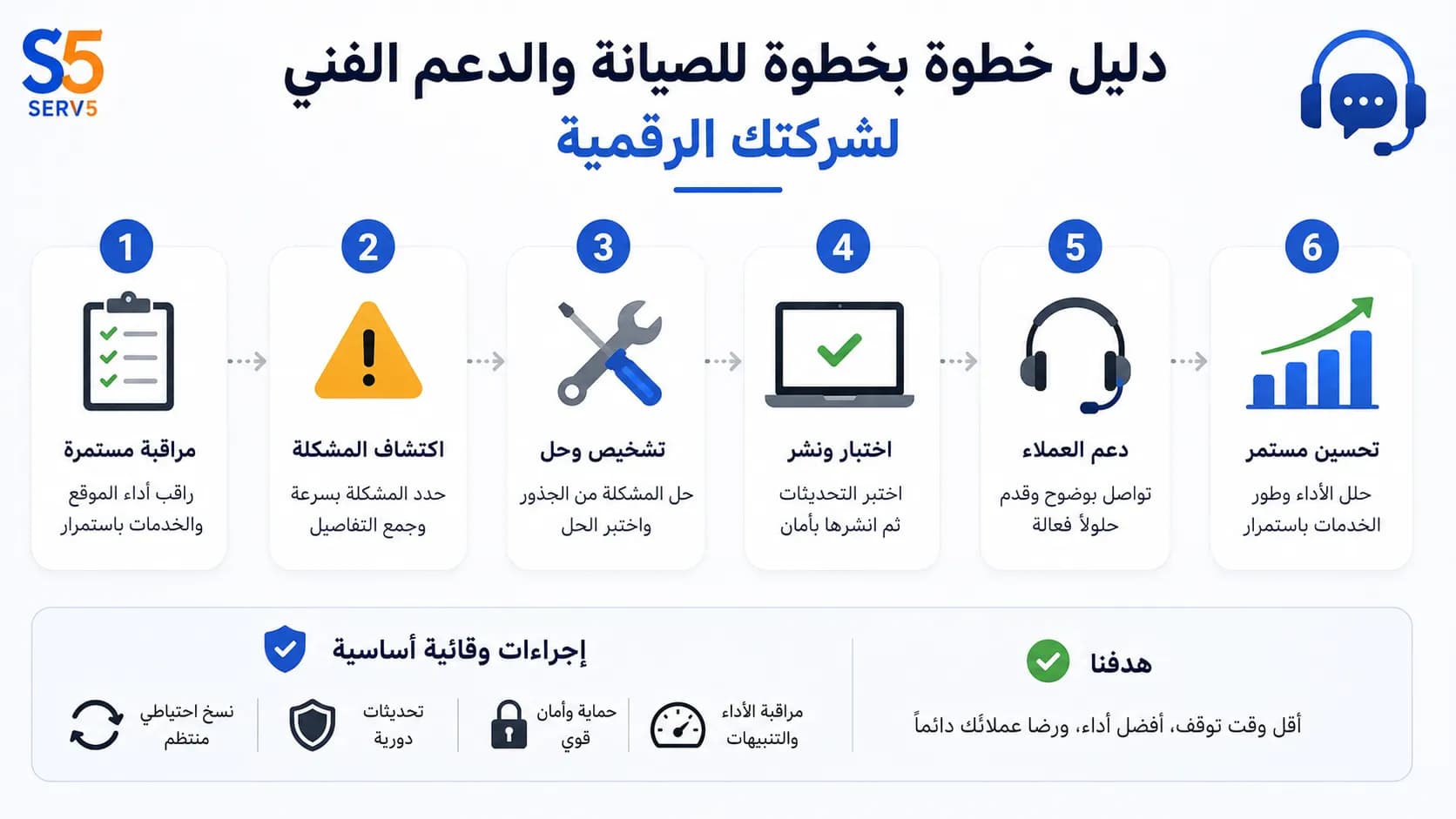
When an online store goes down during a peak sales hour, every minute of downtime translates directly into lost revenue and frustrated customers. That scenario isn't hypothetical—it's a daily reality for businesses that treat maintenance and technical support as an afterthought. Whether you run a corporate website, a mobile application, or a complex e-commerce platform, the stability of your digital infrastructure determines how your brand is perceived and how much you sell. This guide walks you through a complete cycle: from planning your maintenance and technical support strategy, through execution and monitoring, to measuring the results. You'll find a practical checklist, real-world trade-offs, and clear decision criteria that help you avoid common pitfalls. By the end, you'll be able to build a support system that keeps your systems running smoothly and your customers happy—without relying on guesswork or generic advice.
Why Maintenance and Technical Support Is Not Just a Fix-It Service
Most business owners think of technical support as a number you call when something breaks. That reactive mindset costs more than you realize. Real maintenance and technical support is a continuous cycle that starts before any issue appears. It includes proactive monitoring, scheduled updates, performance tuning, and a clear escalation path when things go wrong. Without it, you're not just risking downtime—you're leaving performance gains and security improvements on the table. Learn more about Serv5 through Home.
For example, imagine a growing online store using shared hosting. The site slows down every time a marketing campaign sends a traffic spike. A proper support plan would include server health monitoring and a migration path to a more robust hosting environment before the campaign even launches. That's the difference between firefighting and strategic support.
Step 1: Audit Your Current Digital Setup
Before you can improve anything, you need a clear picture of what you have. Start by listing every digital asset: your website, any mobile apps, your domain registrar, hosting provider, third-party integrations, and even email services. For each, note the current version, who manages it, and when it was last updated.
Then run a basic health check:
This audit reveals your weak points. Many businesses discover they haven't updated a critical plugin in months or that their backup system stopped working silently. At Serv5, we often find that clients who skip this step end up paying for emergency fixes that could have been avoided with routine checks.
Step 2: Define Your Support Requirements
Not every business needs 24/7 live support. Your requirements depend on your business hours, customer expectations, and the cost of downtime. Write down your ideal response times for different severity levels. For instance, a complete site outage might require a response within 15 minutes, while a minor styling bug can wait until the next business day. You can explore the idea further in Professional Website Design: Your Step-by-Step Guide from Planning to Measurement.
Also consider the technical scope. Do you need someone who can handle server configuration, database optimization, and custom code fixes, or is your support limited to content updates? Be honest about your team's skills. If your in-house team can't troubleshoot a server crash at 3 AM, you need external technical support that covers those hours.
Step 3: Choose Between In-House and Outsourced Support
This is a classic trade-off. An in-house team gives you deep knowledge of your systems and immediate availability, but it's expensive and hard to scale. Outsourcing to a specialized provider like Serv5 gives you access to a broader skill set and round-the-clock coverage at a predictable cost, but you must invest time in onboarding and communication.
Evaluate based on three criteria:
For most small to medium businesses, a hybrid model works best: keep a point person internally who understands the business logic, and outsource the heavy technical lifting and off-hours monitoring.
Step 4: Set Up Proactive Monitoring
Proactive monitoring is the backbone of effective maintenance and technical support. It means you know about a problem before your customers do. At a minimum, monitor uptime, page load speed, and server resource usage. Tools can alert you via email or SMS when a threshold is breached.
But monitoring without action is just noise. Pair your alerts with a clear runbook: who gets notified, what they check first, and how to escalate if they can't resolve it. For example, if the server CPU spikes above 90% for more than 5 minutes, the on-call technician should check for a traffic surge, a runaway process, or a potential attack, then follow a predefined mitigation script. Continue with the practical context in website-cost-egypt-mistake-prevention-checklist.
Step 5: Schedule Regular Maintenance Windows
Routine maintenance shouldn't be a surprise. Plan it during your lowest traffic periods and communicate it to your users in advance. A typical maintenance window includes:
Keep a maintenance log. Over time, you'll spot patterns—maybe a certain plugin always causes conflicts, or your database grows faster than expected. Those insights help you prevent problems instead of just fixing them.
Step 6: Measure What Matters
You can't improve what you don't measure. Track these key metrics monthly: For more detail, read The Importance of Creating a Website: A Practical Guide to Building a Strong Online Presence for Your Business.
Use these numbers to adjust your support plan. If MTTR is rising, you might need better documentation or more skilled staff. If performance tickets spike after every update, your testing process needs improvement.
Avoiding Common Mistakes in Maintenance and Technical Support
One frequent mistake is treating all systems equally. A corporate blog can tolerate a few hours of downtime; a payment gateway cannot. Prioritize your support efforts based on business impact.
Another mistake is neglecting documentation. When only one person knows how to restart a critical service, you're one sick day away from a crisis. Document procedures, keep credentials in a secure shared vault, and cross-train your team.
Finally, don't ignore the human side. Technical support isn't just about servers and code—it's about communicating with worried stakeholders. A status page that honestly explains what's happening builds trust even during outages.
When to Bring in Professional Help
There's a point where DIY support costs more than it saves. If you're spending nights fixing server errors instead of growing your business, it's time to consider a professional service. At Serv5, our technical support and maintenance service covers server monitoring, bug fixing, regular updates, and performance optimization around the clock. We handle the technical details so you can focus on your customers. Whether you need help with your e-commerce store, corporate website, or mobile app, having a dedicated team ensures issues are resolved fast and correctly. Web Hosting can support this implementation stage.
Frequently Asked Questions
What is included in a typical maintenance and technical support plan?
A typical plan includes proactive server monitoring, regular software updates, security patches, performance optimization, backup management, and a helpdesk for resolving technical issues. The exact scope depends on your business needs and the complexity of your digital systems.
How often should I schedule maintenance for my website?
You should schedule routine maintenance at least once a month. However, critical security patches should be applied as soon as they are released. High-traffic e-commerce sites may benefit from weekly checks to ensure optimal performance and uptime.
Can I handle maintenance and technical support myself?
Yes, if you have the technical skills and time. However, as your business grows, the complexity increases. Many business owners find that outsourcing to a professional service like Serv5 saves time, reduces stress, and prevents costly mistakes that arise from inexperience.
What is the difference between reactive and proactive technical support?
Reactive support means you fix problems after they occur. Proactive support involves continuous monitoring, regular updates, and performance tuning to prevent issues before they affect your users. Proactive support reduces downtime and often costs less in the long run.
How do I measure the effectiveness of my technical support?
Track uptime percentage, mean time to resolution (MTTR), support ticket trends, and customer satisfaction scores. Regularly review these metrics to identify areas for improvement and ensure your support strategy aligns with your business goals.
- Is your CMS, plugins, and themes up to date?
- Are SSL certificates valid and auto-renewing?
- Do you have recent backups stored off-site?
- Are there any known vulnerabilities in your software stack?
- Budget: Can you afford a full-time developer or a retainer-based service?
- Complexity: Does your setup require niche expertise (e.g., custom API integrations, cloud architecture)?
- Risk tolerance: How much downtime can you accept before it hurts your reputation?
- Applying security patches and software updates.
- Optimizing the database and clearing caches.
- Testing backups by restoring them to a staging environment.
- Reviewing error logs and fixing recurring issues.
- Uptime percentage: Aim for 99.9% or higher.
- Mean time to resolution (MTTR): How long it takes to fix an issue after it's reported.
- Support ticket volume and category: Are you seeing more security-related tickets? More performance complaints?
- Customer satisfaction (CSAT): A simple post-resolution survey tells you if your support is actually helping.