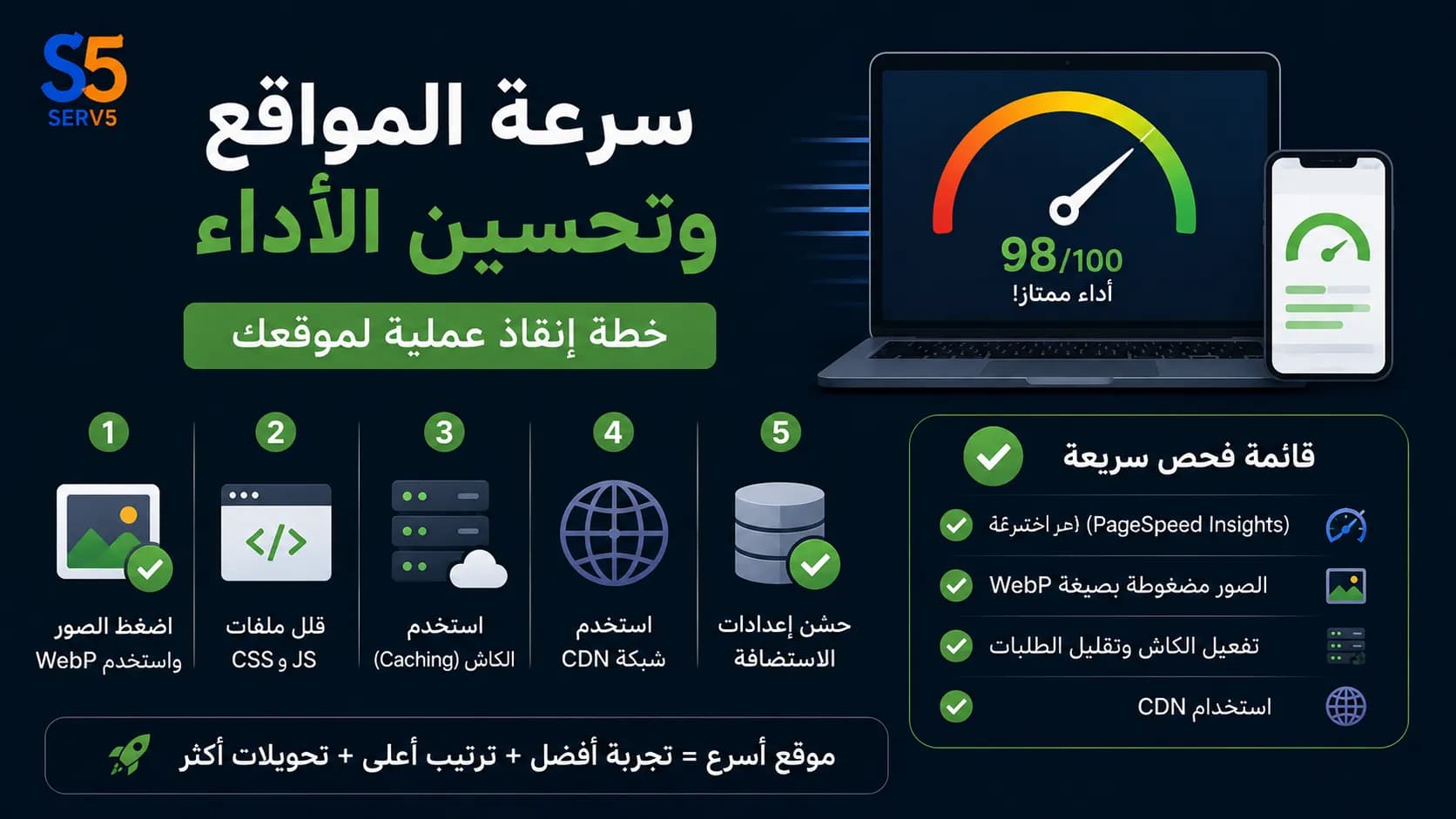
Ahmed stared at his screen in disbelief. His online store, which he had spent months perfecting, was losing customers by the second. The culprit? A loading time of nearly seven seconds. In a world where visitors expect a page to load in under two seconds, every extra moment of delay was pushing potential buyers straight into the arms of competitors. Ahmed's problem isn't unique; it's a silent business killer that affects countless websites. The connection between website speed and performance optimization and real revenue is direct and unforgiving. Slow sites suffer from higher bounce rates, lower search engine rankings, and a damaged brand reputation. This article isn't about abstract theory. We'll walk through a realistic scenario, diagnose the root causes of sluggish performance, and implement a concrete rescue plan. By the end, you'll have a clear, actionable workflow to transform your site's speed from a liability into a competitive advantage.
The Real Cost of Ignoring Website Speed and Performance Optimization
When Ahmed first noticed his sales dipping, he blamed the product images. He hired a new photographer, rewrote descriptions, and even lowered prices. Nothing worked. It wasn't until a friend casually mentioned, "Your site takes forever to load," that the real issue clicked. The cost of ignoring website speed and performance optimization goes far beyond frustration. For every second of delay, conversions can drop by an average of 7%. That means Ahmed's seven-second load time was potentially slashing his revenue by a third. Beyond sales, slow speed signals to Google that your site offers a poor experience, pushing you down in search results. It's a vicious cycle: lower rankings mean less traffic, and the traffic you do get bounces before the page even renders. This isn't just a technical problem; it's a full-blown business emergency. For more detail, read Professional Website Design: Your Step-by-Step Guide from Planning to Measurement.
Step 1: Diagnose the Real Bottlenecks
Before throwing solutions at the problem, you need a precise diagnosis. Ahmed's first instinct was to upgrade his hosting plan, but that's like buying a new engine when the problem is a flat tire. Instead, he ran his site through a speed testing tool. The report was eye-opening: his homepage was overloaded with unoptimized high-resolution images, render-blocking JavaScript, and lacked any form of caching. These are the silent killers of performance, and they're present on most sites. A proper diagnosis answers three questions: What is the current load time? Which elements are the heaviest? And where is the time being spent—server response, file download, or rendering? Without this data, optimization is just guesswork.
Tools to Measure Your Site's Pulse
To get a clear picture, Ahmed used a combination of tools. PageSpeed Insights gave him a performance score and specific recommendations, like properly sizing images and eliminating render-blocking resources. GTmetrix provided a waterfall chart showing every file's load time, revealing that a single unoptimized banner image was taking 2.8 seconds to download. WebPageTest allowed him to test from different locations and devices, confirming that mobile performance was even worse. These tools aren't just for developers; they translate technical issues into plain language and prioritized fixes. The key is to run tests multiple times and under different conditions, then focus on the consistently flagged issues. You can explore the idea further in The Importance of Creating a Website: A Practical Guide to Building a Strong Online Presence for Your Business.
Step 2: The Practical Optimization Workflow
With a clear diagnosis, Ahmed implemented a systematic workflow that any site owner can follow. This isn't a one-time fix but a repeatable process that should become part of your site maintenance routine. The goal is to address the low-hanging fruit first—changes that yield the biggest speed improvements with the least effort—then move to more technical tweaks. The workflow below turned Ahmed's seven-second load time into a consistent 1.8 seconds. Continue with the practical context in how to choose a reliable web design company in egypt.
1. Image Optimization: The Quickest Win
Images accounted for over 60% of Ahmed's page weight. He started by compressing all product photos using lossless compression, which reduced file sizes by 40-70% without visible quality loss. He then converted all images to modern formats like WebP, which are significantly smaller than JPEG and PNG. For the hero banner, he implemented responsive images using the srcset attribute, so mobile users didn't download a desktop-sized image. Finally, he added lazy loading, which defers off-screen images until the user scrolls near them. This single category of fixes shaved over two seconds off the load time. A related solution is SEO Search Optimization.
2. Leverage Browser Caching and a CDN
Next, Ahmed tackled repeated visits. By setting appropriate cache headers, he instructed visitors' browsers to store static assets like logos, CSS, and JavaScript files locally. This meant returning users didn't have to re-download those files, making subsequent page loads nearly instant. To speed up the first visit for users far from his server in Egypt, he integrated a Content Delivery Network (CDN). A CDN stores copies of his site on servers around the world, serving content from the location closest to the user. This drastically reduced latency. For businesses targeting a local audience, a hosting provider with data centers in the region—like the fast hosting solutions offered by Serv5—can provide similar benefits without the complexity of a third-party CDN. Web Hosting can support this implementation stage.
3. Minify and Combine Resources
Ahmed's theme and plugins were loading dozens of separate CSS and JavaScript files. Each file required a separate HTTP request, adding overhead. He used a minification tool to strip unnecessary characters (like spaces and comments) from the code, reducing file sizes. Then, he combined multiple files into fewer, larger files to reduce the number of requests. Modern HTTP/2 protocols have changed the game somewhat, but for many shared hosting environments, reducing requests still yields measurable gains. Be cautious with this step: always test after combining, as it can sometimes break functionality. A professional technical support team, like the one at Serv5, can handle these optimizations safely, ensuring your site's features remain intact while performance improves.
Step 3: The Technical Trade-Offs You Must Know
Not every optimization is a clear win. Ahmed learned this the hard way when he installed a caching plugin that aggressively minified everything. Suddenly, his contact form stopped working. This is a common trade-off: aggressive optimization can break dynamic functionality. Another decision point was whether to use a lightweight theme or keep his feature-rich one. The rich theme offered more design flexibility but came with bloated code. Ahmed chose to stick with his theme but hired a developer to strip out unused CSS and defer non-critical JavaScript. This approach preserved the user experience he wanted while still achieving fast load times. The lesson is that website speed and performance optimization is a balancing act between aesthetics, functionality, and speed. There's no one-size-fits-all solution; you must prioritize based on your specific business goals.
When to Call in the Experts
After implementing the basic workflow, Ahmed's site was significantly faster, but he still faced occasional slowdowns during traffic spikes. He realized that server-level optimizations—like database indexing, PHP version upgrades, and server-side caching—were beyond his comfort zone. This is where professional web hosting and maintenance services become invaluable. A provider like Serv5 offers hosting environments pre-configured for speed, with built-in caching, latest PHP versions, and proactive monitoring. Their technical support team can handle the deep technical work, from server setup to ongoing performance tuning, allowing you to focus on your business. Investing in expert help isn't an expense; it's a strategic move to ensure your site's speed remains a competitive edge, not a recurring headache.
Frequently Asked Questions
What is the ideal website load time?
The ideal load time is under 2 seconds. Studies show that as load time increases from 1 to 3 seconds, the probability of bounce increases by 32%. Aim for 1-2 seconds for the best user experience and SEO benefits.
How do I check my website's current speed?
Use free tools like Google PageSpeed Insights, GTmetrix, or WebPageTest. Enter your URL and run the test. They provide performance scores, load time, and specific recommendations for improvement.
Does website speed affect SEO?
Yes, speed is a confirmed ranking factor for both desktop and mobile searches. Google uses Core Web Vitals as part of its page experience signals. Faster sites tend to rank higher and get crawled more efficiently.
Can I improve speed without technical skills?
Yes, many basic optimizations are user-friendly. You can compress images with online tools, install a caching plugin on your CMS, and enable a CDN through your host. For deeper fixes, consider professional help.
How often should I re-test my site's performance?
Test monthly at minimum, and after any major change like adding new plugins, updating your theme, or uploading large media files. Regular monitoring helps catch issues before they impact users.
Conclusion: Speed Is a Continuous Journey
Ahmed's story had a happy ending. His sales rebounded, his bounce rate dropped by 40%, and he started ranking for keywords he'd never targeted before. But he also learned that website speed and performance optimization isn't a one-and-done project. As he adds new products, plugins, and content, he regularly tests his site and repeats the workflow. Speed is now a key metric in his monthly business review. If you're facing a similar struggle, start with a diagnosis, follow a structured workflow, and don't hesitate to seek expert help for the complex stuff. Your visitors—and your bottom line—will thank you. Ready to accelerate your site? Explore Serv5's web hosting and technical support services to build a foundation that's fast, secure, and reliable.